30. November 2025
Admin
Meta Quest 3 Update Unveils Two Major Performance & Comfort Features
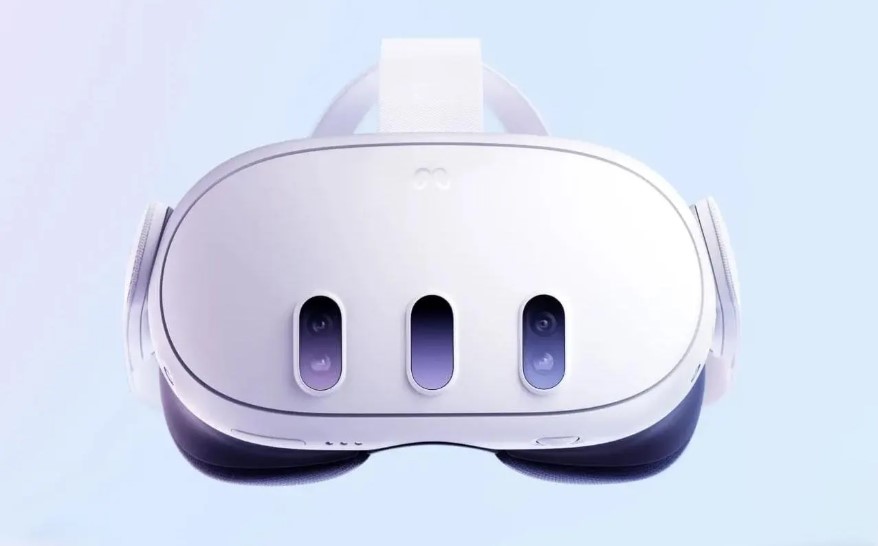
The latest software update for Meta Quest 3 and Quest 3S brings two powerful enhancements — one improving smoothness when graphics lag, the other reducing eye-strain for longer sessions.
Quick Insight:
These improvements make VR more accessible and comfortable — perfect if you play for hours or use your headset for mixed reality, entertainment, or creative work.
1. Smoother Performance with Positional Frame-Warp
• If a game or app slows down, the headset now uses positional data to “re-project” frames — making motion appear smoother even when frame rate drops.
• This helps reduce motion-related discomfort and VR nausea for many users.
• It’s done without extra load on performance, meaning you get smoother visuals with minimal overhead.
2. Comfort Mode: Dynamic Dimming to Reduce Eye Strain
• The display brightness is gently lowered over time during a session — a subtle shift that’s not obvious but helps reduce glare and eye fatigue.
• This also helps extend battery life, ideal for long gaming sessions or VR work.
• For many, the result is a more relaxing and sustainable VR experience.
3. What Users Should Do Next
• Update your headset as soon as the v83 (or newer) firmware becomes available.
• Try enabling both new features — especially if you’ve experienced lag, motion sickness, or eye strain before.
• Test with a mix of games and apps — from fast-paced VR games to relaxed mixed-reality experiences — to see the difference.
Final Thoughts
The Meta Quest 3’s fresh update shows how small software tweaks can make a big difference: more comfort, smoother visuals, and longer sessions with less fatigue. If you own a Quest 3 or 3S, this update makes now a great time to dive back into VR — whether for gaming, creativity, or exploring mixed reality.
Tip: Enable the update and run a few apps back-to-back — if you notice smoother motion and less visual strain, you’ll know the update is doing its job.














.jpeg)